Hello! I'm trying to program in C for Playdate using the Visual Studio Codium IDE. I have PLAYDATE_SDK_PATH and PATH set correctly.
I'm trying to follow the instructions laid out [here](Inside Playdate with C) since I'm using Visual Studio Codium (a fork of VS Code) instead of Visual Studio. At step 3, it says to run cmake .. -G "NMake Makefiles" while in the build folder, however doing so gives this error:
PS C:\Users\lamb\Dev\playdate_nmake\build> cmake .. -G "NMake Makefiles"
CMake Warning:
  Ignoring extra path from command line:

   ".."


CMake Error: The source directory "C:/Users/lamb/Dev/playdate_nmake" does not appear to contain CMakeLists.txt.
Specify --help for usage, or press the help button on the CMake GUI.
I figure this is fixable by just making a blank text file called CMakeLists.txt in the root directory.
Running that command again gets me this error:
PS C:\Users\lamb\Dev\playdate_nmake\build> cmake .. -G "NMake Makefiles"
CMake Warning (author) in CMakeLists.txt:
  No project() command is present.  The top-level CMakeLists.txt file must
  contain a literal, direct call to the project() command.  Add a line of
  code such as

    project(ProjectName)

  near the top of the file, but after cmake_minimum_required().

  CMake is pretending there is a "project(Project)" command on the first
  line.
This warning is for project developers.  Use -Wno-author to suppress it.

CMake Warning (author) in CMakeLists.txt:
  cmake_minimum_required() should be called prior to this top-level project()
  call.  Please see the cmake-commands(7) manual for usage documentation of
  both commands.
This warning is for project developers.  Use -Wno-author to suppress it.

CMake Error in CMakeLists.txt:
  Running

   'nmake' '-?'

  failed with:

   no such file or directory


CMake Error: CMAKE_C_COMPILER not set, after EnableLanguage
CMake Error: CMAKE_CXX_COMPILER not set, after EnableLanguage
-- Configuring incomplete, errors occurred!
The instructions don't mention anything about a CMakeLists file, so I'm confused as to what I should do here.
Hi!
If you want to use CMake for building, you'll probably need to copy over the template CMakeLists.txt from one of the C API templates, like HelloWorld (%PLAYDATE_SDK_PATH%\C_API\Examples\Hello World), and change it to suit your game's name and collection of source files.
Note that C has no standardized build system, so it's very much a "bring your own" thing.
I copied the text from the Hello World example's CMakeLists.txt file to the one in my project folder.
CMakeLists.txt
cmake_minimum_required(VERSION 3.14)
set(CMAKE_C_STANDARD 11)

set(ENVSDK $ENV{PLAYDATE_SDK_PATH})

if (NOT ${ENVSDK} STREQUAL "")
	# Convert path from Windows
	file(TO_CMAKE_PATH ${ENVSDK} SDK)
else()
	execute_process(
			COMMAND bash -c "egrep '^\\s*SDKRoot' $HOME/.Playdate/config"
			COMMAND head -n 1
			COMMAND cut -c9-
			OUTPUT_VARIABLE SDK
			OUTPUT_STRIP_TRAILING_WHITESPACE
	)
endif()

if (NOT EXISTS ${SDK})
	message(FATAL_ERROR "SDK Path not found; set ENV value PLAYDATE_SDK_PATH")
	return()
endif()

set(CMAKE_CONFIGURATION_TYPES "Debug;Release")
set(CMAKE_XCODE_GENERATE_SCHEME TRUE)

# Game Name Customization
set(PLAYDATE_GAME_NAME hello_world)
set(PLAYDATE_GAME_DEVICE hello_world_DEVICE)

project(${PLAYDATE_GAME_NAME} C ASM)

if (TOOLCHAIN STREQUAL "armgcc")
	add_executable(${PLAYDATE_GAME_DEVICE} src/main.c)
else()
	add_library(${PLAYDATE_GAME_NAME} SHARED src/main.c )
endif()

include(${SDK}/C_API/buildsupport/playdate_game.cmake)
src/main.c
#include <stdio.h>


int main() {
    printf("Hello, World!");
    return 1;
}
This gives me this error:
PS C:\Users\lamb\Dev\playdate_nmake\build>  cmake .. -G "NMake Makefiles"
CMake Error at CMakeLists.txt:32 (project):
  Running

   'nmake' '-?'

  failed with:

   no such file or directory


CMake Error: CMAKE_C_COMPILER not set, after EnableLanguage
CMake Error: CMAKE_CXX_COMPILER not set, after EnableLanguage
-- Configuring incomplete, errors occurred!
I'm unsure what to do about this. It looks like it has a problem with the project(${PLAYDATE_GAME_NAME} C ASM) part at line 32?
I also tried doing the mkdir build -> cd build -> cmake .. -G "NMake Makefiles" steps in a copy of the Hello World example, but got very similar results.
What compiler are you using? I'm guessing that you don't have nmake installed. If you install visual studio community and install the C/C++ toolchains + CMAKE that will install cmake and nmake.
Judging by the CMAKE_C_COMPILER not set, I'm guessing cmake couldn't find a compiler at any of the default system paths.
I don't know if you still can, but you used to be able to just install the toolchain without Visual Studio by getting an alternative downloader for the Visual Studio Build Tools. edit:
To be clear Visual Studio is not the same as VS Code/Codium.
Is CMake not itself the compiler? I figured that I already had NMake (like it's a part of CMake) because it's called using CMake in the cmake .. -G "NMake ..." command.
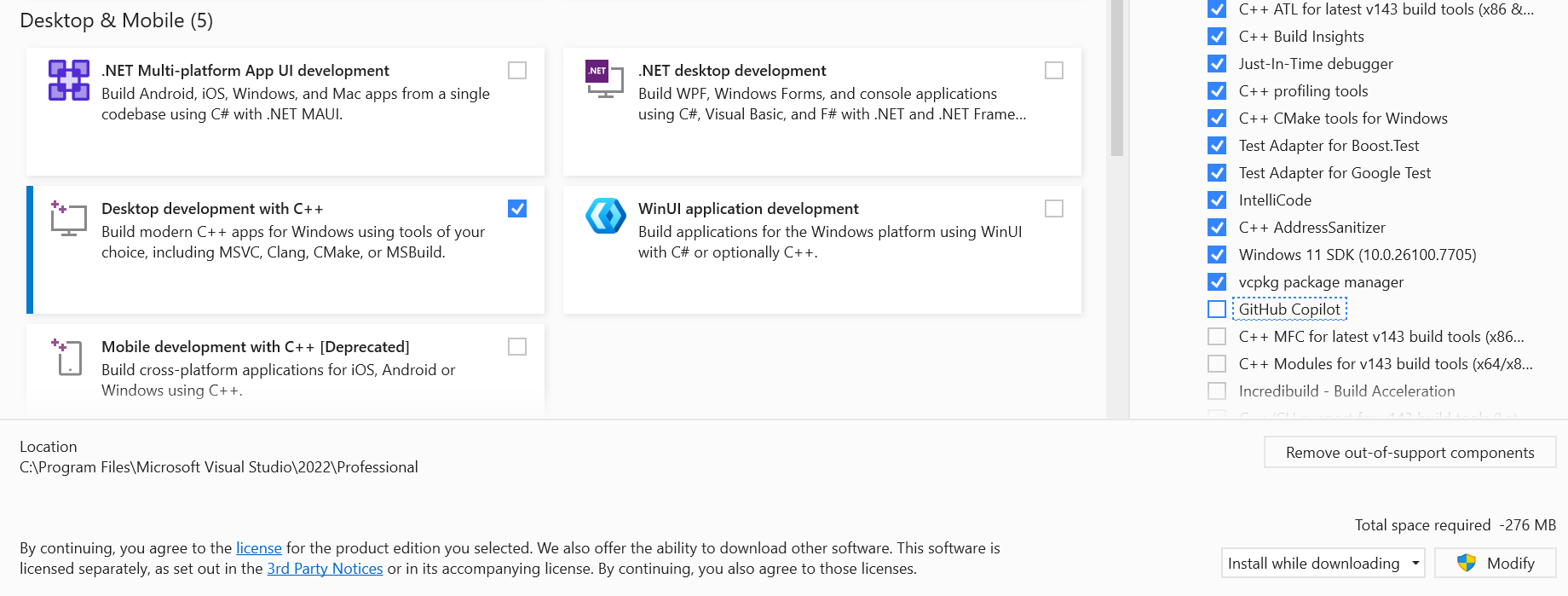
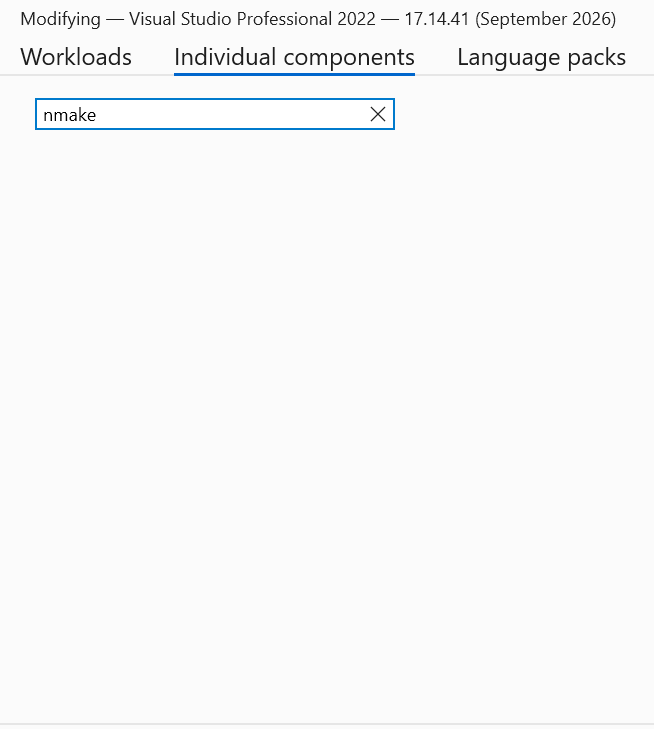
I have Visual Studio Installer where I can install this for C++, that appears to be the closest thing I can find that I already have installed (though I don't see anything about NMake, only CMake). I already had this C++ stuff installed since it looked like it would be helpful.
Cmake is a build system (grabs files and generates a project, or passes them to a compiler & linker), but it's still relying on you having the toolchains installed.
That does look like the correct stuff to have installed, nmake will have come with the CMake package in Visual Studio.
The next step is probably the environment. If you search your installed apps, a new "x64 Native Tools Command Prompt" should have appeared. If you launch that, it will start will all the environment variables set for that session. It should be able to find nmake when run in that teminal.
If that works I would suggest making a Build.bat in your project folder. With something like:
call "C:\Program Files\Microsoft Visual Studio\2022\Community\VC\Auxiliary\Build\vcvars64.bat"

if not exist "build" mkdir "build"
cd build

cmake .. -G "NMake Makefiles"

nmake
You can then hook up VS Code to run that when you hit build.