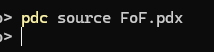
This is new behavior, however as I have not used any gifs in a while, I can’t tell when it started.
Currently, if I have a .gif file anywhere in my source directory, pdc (run from command-line) will build without error, but any files which would have been referenced after the .gif file will not be present in the package.
If attempting to build from VScode, the error is more general and shows as if the path is incorrect:
Command failed: "C:\Users\choosh\Documents\PlaydateSDK\bin\pdc" --main -sdkpath "C:\Users\choosh\Documents\PlaydateSDK" "e:/Games/gifTest/source/main.lua" "e:\Games\gifTest\builds\main.pdx"
Though, even with the above error, the pdx file is still created.
All other packages build without issues, and any working code will build fine once the .gif is removed.
I’m not seeing this with a simple test project. We did add a failure case to pdc if the arguments are invalid. Looking at your command, you’re using —main but not specifying a main file after the argument. Try fixing the arguments and seeing if that happens to fix you up.
that argument is not from CMD, it occurs when building anything in Visual Studio using the playdate extension.
Additionally, the same command does not fail when the gif file is not present in the same project.
To be clear, you mean Visual Studio Code? I also tried the extension and works for me as well. It also doesn’t by default use the –main arg. Have you customized the command prompt? I can’t reproduce this so it’s hard for me to test further.