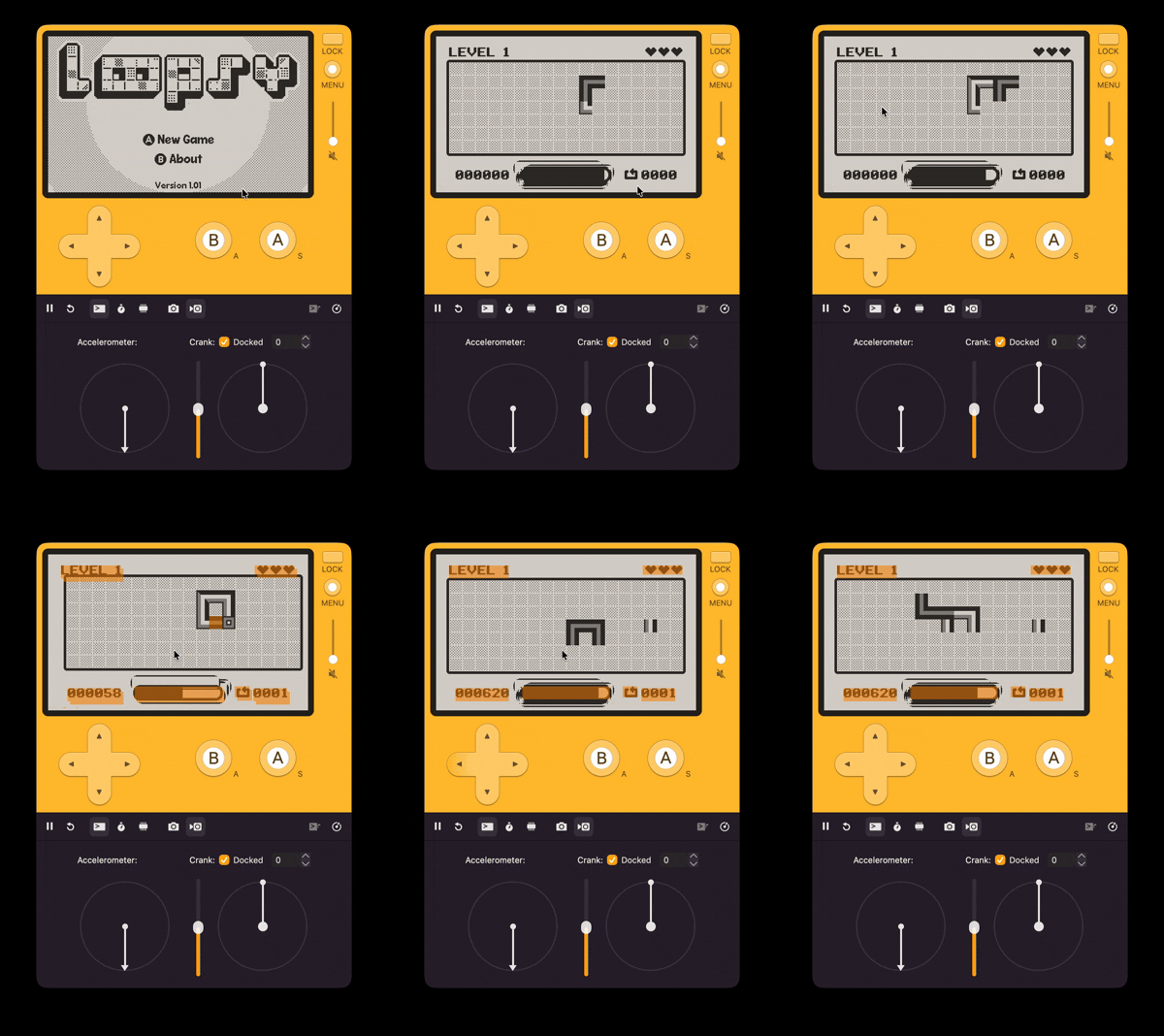
I’m not sure when this bug was introduced, but when I launched Loopsy on Catalog in May 2023 it didn’t have this issue (this also repros on device and I’m developing on macOS currently). Device version is 3.0.4.
The game shipped with a screen shake effect (which I have enabled on piece placement for debugging in the video) which I implemented using the display.setOffset(x, y) API, however I didn’t want the UI elements to shake, so when I draw them I simply apply the opposite x, y values.
Most of the UI is fine, however the timer bar is causing some dirty stuck pixels to appear. It could be because I render the bar with an outline?
Here’s the full (albeit messy) implementation. I was able to fix it by manually creating a dirtyRect with the same width as the outline:
function HUD:drawTimer(x, y)
    -- Flash the timer when running low
    local showTimer <const> = not audio:isPlaying('timer_ticking') or player.tickingFrameCount % 10 < 5
    if showTimer then
        gfx.setColor(gfx.kColorBlack)
    else
        gfx.setPattern(kPatterns.gray)
    end
    player.tickingFrameCount += 1

    -- Draw a dirty rect behind the timer to fix left over pixels during the screen shake effect
    local dirtyPadding <const> = 4
    gfx.sprite.addDirtyRect(
        kScreenWidth / 2 - self.timerWidth / 2 - x - dirtyPadding,
        kTimerY - y - dirtyPadding,
        self.timerWidth + 2 * dirtyPadding,
        kTimerHeight + 2 * dirtyPadding
    )

    -- Fill
    gfx.fillRect(kScreenWidth / 2 - self.timerWidth / 2 - x, kTimerY - y, math.min(player.placementTimer.value, self.timerWidth), kTimerHeight)

    -- Outline
    gfx.setColor(gfx.kColorBlack)
    gfx.setLineWidth(4)
    gfx.drawRoundRect(
        kScreenWidth / 2 - self.timerWidth / 2 - kTimerBorder - x,
        kTimerY - kTimerBorder - y,
        self.timerWidth + 2 * kTimerBorder,
        kTimerHeight + 2 * kTimerBorder, 10
    )
end
Anyway just wanted to share! I plan on submitting an app update w/ the fix.
 Are you using sprites to draw the UI elements? It probably does have to do with the outline. Can you work up a small example app showing the issue? Thanks in advance!