Golang for Playdate. Compiler, SDK Bindings, Tools and Examples ⚒️

Hello dear Playdate community :waving_hand: ! My name is Roman, and I'm a Golang software engineer.

Today in this thread, I'm very excited to share my open-source project which is still under actively development, but is ready for a first public release.

I still remember the moment I first discovered this cute little yellow thing called Playdate. My immediate thought was: "I want to write games for this in Go beacause this is my primary language! Right now!" But after reading the official docs, I realized the only supported languages were Lua and C (Swift, Rust, and Nim appeared later).

That's what sparked this project called PdGo.

Finally, Playdate meets the Golang programming language!

For anyone who doesn’t know what Golang is : it’s battle-tested language by Google that outperforms older languages like C and Lua. It powers major technologies such as Docker, Kubernetes, you name it, and now … for Playdate …
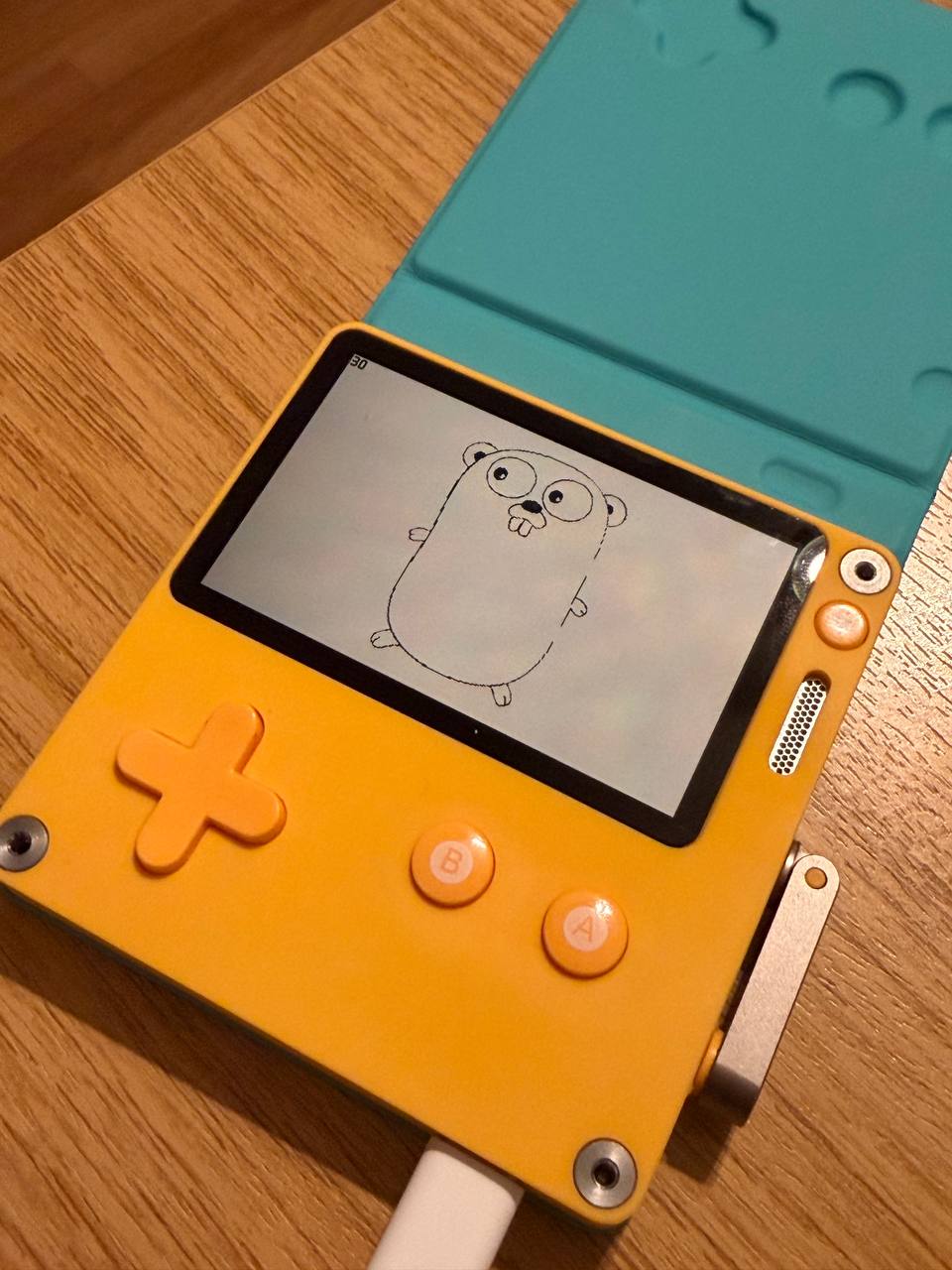
It wasn’t straightforward, but I got it working. As a result, this cute Gopher was rendered on real hardware :grin: .

I've done my best to include all the necessary information in the project's repository README, such as how-to, examples, API bindings documentation, compiler/tools internals, you name it.

I'd love to hear your feedback and hope you have as much fun playing with this as I had.

6 Likes

Thank you for this work! I put a link to it on our Useful Playdate Links page, in the Languages section.

2 Likes

Hi Greg!

Wow, Thanks a lot :+1: ! Seeing how many languages are gradually emerging for this console really makes you realize how high-quality it is, both in terms of hardware and software to integrate. It definitely wasn’t easy, and I really wanted to give up at some point, but finally I managed to get it working! :star_struck:

Thanks for your persistence! I hope this can find an audience among Go enthusiasts. :slight_smile:

1 Like

I hope so, thanks! It was really fun getting these things to work. The project is under active development, and I’ll keep our community updated here in this thread, I think it’s the perfect place for it. Right now, I’m writing my own complex code examples and rewriting some of the official SDK examples to Go to better showcase the project and ensure that all parts of the API subsystem are working as expected :ok_hand: I’ll try to post updates from time to time.
Version 0.1.1 released!

Fix: Resolved a fatal error during building for the Playdate Simulator caused by an unresolved pd_api.h reference from the SDK. It should now work as expected.

Docs/Examples: Added a new HelloWorld example, rewritten directly from the SDK sample code.
You can check it here: pdgo/examples/hello_world/Source/main.go at main · playdate-go/pdgo · GitHub

I’m currently working on rewriting the remaining SDK examples, a bit more complex code examples like “Life“ simulator.

HelloWorld:

package main

import (
	"fmt"
	"github.com/playdate-go/pdgo"
)

const (
	textWidth  = 86
	textHeight = 16
)

var (
	pd   *pdgo.PlaydateAPI
	font *pdgo.LCDFont

	x  = (pdgo.LCDColumns - textWidth) / 2
	y  = (pdgo.LCDRows - textHeight) / 2
	dx = 1
	dy = 2
)


func initGame() {
	var err error
	font, err = pd.Graphics.LoadFont("/System/Fonts/Asheville-Sans-14-Bold.pft")
	if err != nil {
		pd.System.Error(fmt.Sprintf("Couldn't load font: %s", err.Error()))
	}
}

func update() int {
	pd.Graphics.Clear(pdgo.NewColorFromSolid(pdgo.ColorWhite))

	if font != nil {
		pd.Graphics.SetFont(font)
	}
	pd.Graphics.DrawText("Hello World!", x, y)

	x += dx
	y += dy

	if x < 0 || x > pdgo.LCDColumns-textWidth {
		dx = -dx
	}

	if y < 0 || y > pdgo.LCDRows-textHeight {
		dy = -dy
	}

	pd.System.DrawFPS(0, 0)

	return 1
}

func main() {}

This is great! Go is also my primary programming language, and I was looking for something like this. I’ll definitely use it. thank you very much!

1 Like

Hello @juancarlosllh colleague!

Thanks for your feedback and I'm really glad to hear you enjoyed it.

Today I'll try to push an idiomatic Go rewrite of Conway's Game of Life simulator (originally in C from Panic's SDK examples for Playdate)

So stay tuned!

1 Like

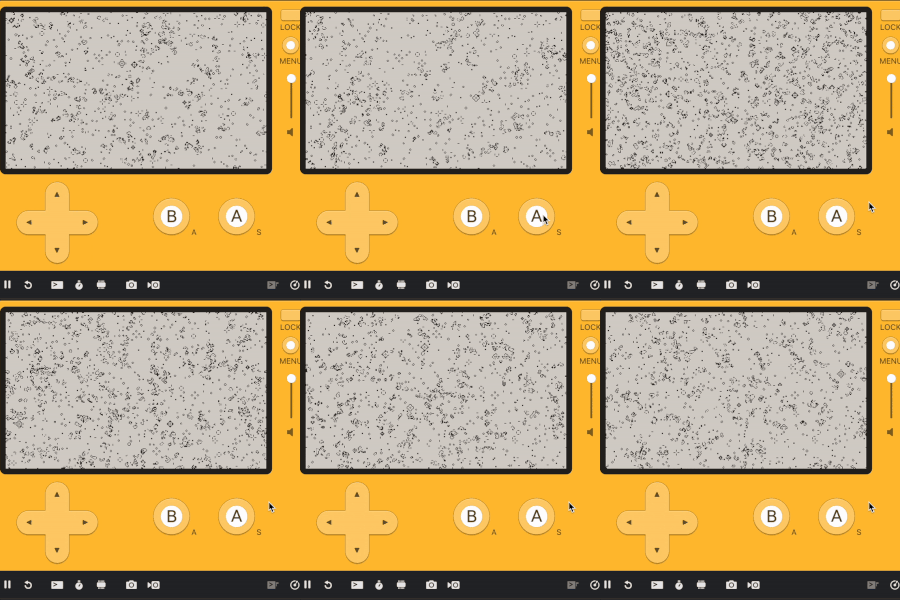
Here we go! @juancarlosllh .
Conway's Game of Life from official Playdate SDK examples rewritten from C to Go. I tested, works well on Simulator and Device.

Give your idea guys how you would rewrite it to Go.

See for the full source : pdgo/examples/life/Source at main · playdate-go/pdgo · GitHub

lifegif

main.go

package main

import "github.com/playdate-go/pdgo"

var (
	pd   *pdgo.PlaydateAPI
	game *Game
)

func initGame() {
	game = NewGame(pd)
	game.Init()
}

func update() int {
	return game.Update()
}

func main() {}

game.go

package main

import "github.com/playdate-go/pdgo"


type Game struct {
	pd          *pdgo.PlaydateAPI
	initialized bool
	rngState    uint32
}

func NewGame(pd *pdgo.PlaydateAPI) *Game {
	return &Game{
		pd:          pd,
		initialized: false,
		rngState:    12345,
	}
}

func (g *Game) Init() {
	g.pd.Display.SetRefreshRate(0)

	seconds, ms := g.pd.System.GetSecondsSinceEpoch()
	if g.rngState = uint32(seconds) ^ uint32(ms<<16); g.rngState == 0 {
                g.rngState = 12345
        }
}

func (g *Game) random() uint32 {
	x := g.rngState
	x ^= x << 13
	x ^= x >> 17
	x ^= x << 5
	g.rngState = x
	return x
}

func (g *Game) Update() int {
	if !g.initialized {
		g.Randomize()
		g.initialized = true
	}

	_, pushed, _ := g.pd.System.GetButtonState()
	if pushed&pdgo.ButtonA != 0 {
		g.Randomize()
	}

	nextFrame := g.pd.Graphics.GetFrame()   
	frame := g.pd.Graphics.GetDisplayFrame() 

	if frame == nil || nextFrame == nil {
		return 1
	}

	g.Step(frame, nextFrame)
	g.pd.Graphics.MarkUpdatedRows(0, pdgo.LCDRows-1)

	return 1
}

func (g *Game) Randomize() {
	frame := g.pd.Graphics.GetDisplayFrame()
	if frame == nil {
		return
	}

	for y := 0; y < pdgo.LCDRows; y++ {
		rowStart := y * pdgo.LCDRowSize
		for x := 0; x < pdgo.LCDColumns/8; x++ {
			frame[rowStart+x] = byte(g.random())
		}
	}
}
1 Like

Hi there! PdGo v0.1.2 released

Sprite callbacks now work on Playdate hardware such as SetUpdateFunction, SetDrawFunction, SetCollisionResponseFunction, etc., not just simulator.

Previously, sprite callbacks only worked in Simulator (CGO) not in Device (TinyGo).
TinyGo (used for device builds) can't use CGO's dynamic function pointers. I solved this by creating a Go-side callback registry + C trampolines that bridge the gap - C calls a fixed trampoline function, which looks up and invokes the registered Go callback. Maybe there's a way to make it much simpler, but I don't know.....

Now the Sprite subsystem is consistent between Simulator and Device builds.

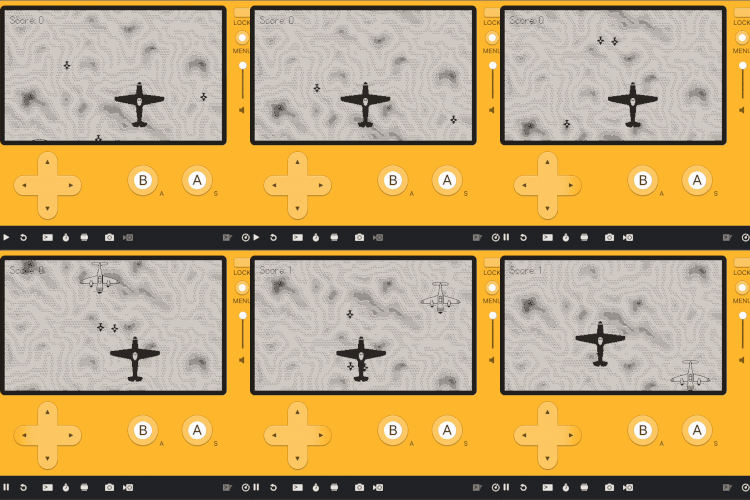
Also I Idiomatically rewrote SpriteGame (thanks to this because I saw problem with callbacks), a simple top-down shooter where a small player plane shoots enemy planes from official С SDK examples to Go.

spritegame-tiny-gif

Juse a peace of Go code for you with callbacks:

///...

type Background struct {
	game *Game

	sprite *pdgo.LCDSprite
	image  *pdgo.LCDBitmap
	y      int
	height int
	speed  int
}


func NewBackground(game *Game) *Background {
	bg := &Background{
		game:  game,
		speed: 1,
	}

	pd := game.PD()

	bg.image, _ = pd.Graphics.LoadBitmap("images/background")
	if bg.image != nil {
		data := pd.Graphics.GetBitmapData(bg.image)
		bg.height = data.Height
	} else {
		bg.height = 240
	}

	// Create background sprite with draw callback for tiled rendering
	bg.sprite = pd.Sprite.NewSprite()
	pd.Sprite.SetBounds(bg.sprite, pdgo.PDRect{X: 0, Y: 0, Width: ScreenWidth, Height: ScreenHeight})
	pd.Sprite.SetDrawFunction(bg.sprite, bg.draw)
	pd.Sprite.SetZIndex(bg.sprite, 0) // Behind everything
	pd.Sprite.AddSprite(bg.sprite)

	return bg
}
//...
1 Like

Hi everyone!

Today I started my day by rewriting from C & Lua to Go the next example from the official Playdate SDK, and it's called 3D Library.

(As I said earlier my goal is to rewrite all examples from SDK, and than finally release stable 1.0.x version.)

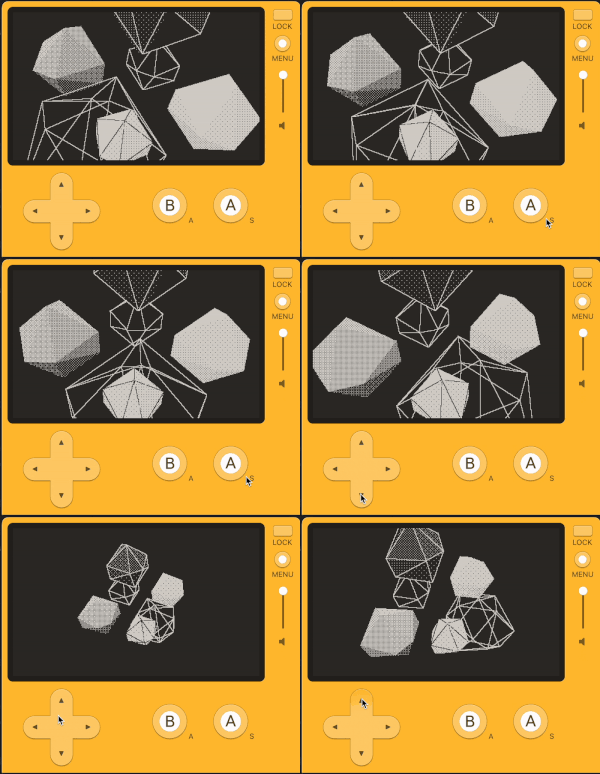
Here you can find a software 3D renderer written entirely in Go that draws 3D objects on the Playdate screen entirely on the CPU.

I love how it looks like in Go :open_mouth: :star_struck: (just a piece of code):

func NewScene3DNode() *Scene3DNode {
	return &Scene3DNode{
		Transform:   IdentityMatrix,
		Children:    make([]*Scene3DNode, 0),
		Shapes:      make([]*ShapeInstance, 0),
		RenderStyle: RenderInheritStyle,
		IsVisible:   true,
		NeedsUpdate: true,
	}
}

func (n *Scene3DNode) SetTransform(xform Matrix3D) {
	n.Transform = xform
	node := n
	for node != nil {
		node.NeedsUpdate = true
		node = node.Parent
	}
}

func (n *Scene3DNode) AddTransform(xform Matrix3D) {
	m := n.Transform.Multiply(xform)
	n.SetTransform(m)
}

func (n *Scene3DNode) AddShape(shape *Shape3D, offsetX, offsetY, offsetZ float32) {
	n.AddShapeWithTransform(shape, NewTranslateMatrix(offsetX, offsetY, offsetZ))
}

It does the following : loads 3D models with vertices and faces, applies transformations like rotation and translation, projects the 3D scene onto a 2D screen with perspective, fills triangles using dithered shading to simulate gradients on the 1 bit display, calculates lighting and hides back facing polygons.

The result is six rotating icosahedra rendered in different styles
The D pad moves the camera and the crank tilts it .

But I decided to simplify a few parts from the original C version:

  • Removed the Z buffer per pixel depth buffer
  • Replaced the ordering table with object sorting by distance from the camera
  • Removed Lua bindings and ARM assembly optimizations

The code in Go is now approx. 1k LOC, and easier to read than C (and maybe Lua?).
Intersecting geometry may have artifacts but for most scenes with separate objects it should look visually identical to the original. Thanks for reading!

Link to Go source: pdgo/examples/3d_library at main · playdate-go/pdgo · GitHub

3d_lib_gif_resized

1 Like

Released PdGo version v0.1.3

Added support for Sound - Synth subsystem (NewSynth, SetWaveform, SetDecayTime, SetVolume, PlayNote, etc.)

1 Like

PdGo v0.1.4 and v 0.1.5 Released!

v0.1.4:

  • Added ability to handle CGO_CFLAGS for Simulator build automatically in 'pdgoc', not need to write it manually anymore

Before:

  • export CGO_CFLAGS="-I$PLAYDATE_SDK_PATH/C_API -DTARGET_EXTENSION=1" && pdgoc -device -sim -name=SomeGame -author=SomeAuthor -desc="SomeGame Desc" -bundle-id=com.someauthor.somegame -version=1.0 -build-number=1

Now (just use pdgoc):

  • pdgoc -device -sim -name=SomeGame -author=SomeAuthor -desc="SomeGame Desc" -bundle-id=com.someauthor.somegame -version=1.0 -build-number=1

v0.1.5

  • !!! Increase default stack size to 131072 bytes (132kb), the previous size was not enough to load sound files !!!

  • Implemented methods for ChannelAPI: AddInstrumentAsSource, GetCurrentStep, SetCurrentStep, GetPolyphony, GetIndexForStep, GetNoteAtIndex, etc.

  • Implemented rest of Sound subsystem: SoundSource, SoundInstrument, SoundTrack, SoundSequence, SequenceTrack, etc

  • Added Bach MIDI musical example

v0.2.0 Realeased!

Finally the new architecture for the project! Thanks for the guys from TinyGo community, they were surprised that TinyGo can’t use CGO, since that’s what I’d claimed, and I’m really glad they pointed it out - now the project relies entirely on CGO!

GitHub

Release v0.2.0 · playdate-go/pdgo

refactor: Unified CGO architecture for device and simulator builds. Major refactoring of pdgo library to use direct CGO calls instead of //go:linkname bridging mechanism. Key...

refactor: Unified CGO architecture for device and simulator builds.

Major refactoring of pdgo library to use direct CGO calls instead of //go:linkname bridging mechanism.

Key changes:

Single C source file (pd_cgo.c)

  • All Playdate SDK C wrappers in one file
  • Conditional compilation with #ifdef TARGET_PLAYDATE for device-specific code (ARM interrupts, TinyGo runtime)
  • Device entry point (eventHandler) included under TARGET_PLAYDATE
  • Simulator uses pd_set_api() for initialization

Removed file duplication

  • Deleted *_tinygo.go suffixes and build tags
  • Removed bridge_tinygo.go (old //go:linkname mechanism)
  • Removed embedded pd_runtime.go from pdgoc (was duplicating pd_cgo.c)

pdgoc build tool improvements

  • Dynamically reads pd_cgo.c from pdgo module via go list
  • Compiles with -DTARGET_PLAYDATE=1 for device builds
  • Single source of truth - no more maintaining two C files

Sprite callbacks support

  • Added pd_sprite_setDrawFunction, pd_sprite_setUpdateFunction, pd_sprite_setCollisionResponseFunction
  • Go trampolines (pdgo_sprite_*_trampoline) for C-to-Go callbacks

Update callback architecture

  • pdgo.SetUpdateCallback() registers callback via pd_sys_setUpdateCallback()
  • C wrapper update_callback_wrapper calls pdgo_update_trampoline
  • Works for both device and simulator
    Benefits:
  • Adding new Playdate SDK functions requires editing only pd_cgo.c
  • Unified codebase for device (TinyGo) and simulator (standard Go CGO)
  • Cleaner architecture without //go:linkname hacks