Hi there! PdGo v0.1.2 released
Sprite callbacks now work on Playdate hardware such as SetUpdateFunction, SetDrawFunction, SetCollisionResponseFunction, etc., not just simulator.
Previously, sprite callbacks only worked in Simulator (CGO) not in Device (TinyGo).
TinyGo (used for device builds) can't use CGO's dynamic function pointers. I solved this by creating a Go-side callback registry + C trampolines that bridge the gap - C calls a fixed trampoline function, which looks up and invokes the registered Go callback. Maybe there's a way to make it much simpler, but I don't know.....
Now the Sprite subsystem is consistent between Simulator and Device builds.
Also I Idiomatically rewrote SpriteGame (thanks to this because I saw problem with callbacks), a simple top-down shooter where a small player plane shoots enemy planes from official С SDK examples to Go.
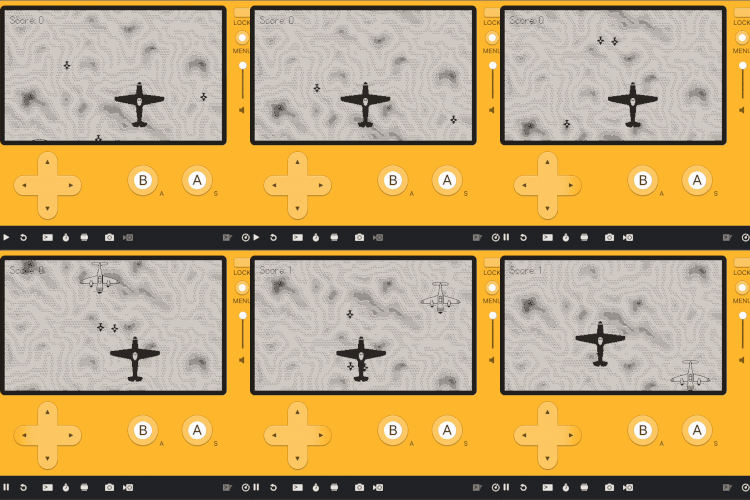
Juse a peace of Go code for you with callbacks:
///...

type Background struct {
	game *Game

	sprite *pdgo.LCDSprite
	image  *pdgo.LCDBitmap
	y      int
	height int
	speed  int
}


func NewBackground(game *Game) *Background {
	bg := &Background{
		game:  game,
		speed: 1,
	}

	pd := game.PD()

	bg.image, _ = pd.Graphics.LoadBitmap("images/background")
	if bg.image != nil {
		data := pd.Graphics.GetBitmapData(bg.image)
		bg.height = data.Height
	} else {
		bg.height = 240
	}

	// Create background sprite with draw callback for tiled rendering
	bg.sprite = pd.Sprite.NewSprite()
	pd.Sprite.SetBounds(bg.sprite, pdgo.PDRect{X: 0, Y: 0, Width: ScreenWidth, Height: ScreenHeight})
	pd.Sprite.SetDrawFunction(bg.sprite, bg.draw)
	pd.Sprite.SetZIndex(bg.sprite, 0) // Behind everything
	pd.Sprite.AddSprite(bg.sprite)

	return bg
}
//...