I’ve been trying for ~30 minutes trying to reinstall my Playdate Simulator on my computer (Windows). I had it in the past where it worked no problem, but admittedly it’s been a couple months since I last touched the Playdate and a new update (3.0.5) popped up for the simulator. When I tried that, the update would fail around 70% through because I had an issue with the bin, saying something like my os wasn’t accessible.
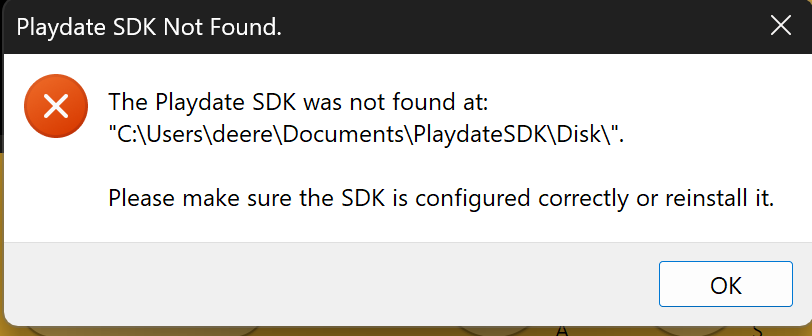
After that I uninstalled everything PlaydateSDK from my computer and have repeatedly tried to reinstall the launcher, however every time the download seems successful until I click to run the .exe file in the bin file and the attached file’s error shows up. I then uninstall, retry, same issue emerges. It’s possible when the SDK file downloads there’s no SDK launcher actually with it? I don’t really know much about how Playdate operates and stuff like that, and there’s nothing obvious online or from Playdate saying what’s happening. I imagine the answer’s simple, but I don’t know what it’d be.
Tangentially but my Playdate console keeps crashing, if anyone has any tips for that it’d be appreciated!
I haven’t had any issues with the latest version on Windows.
Did you install it in the same location? When you set the PATH value for the playdate SDK is it still pointing to the old location?
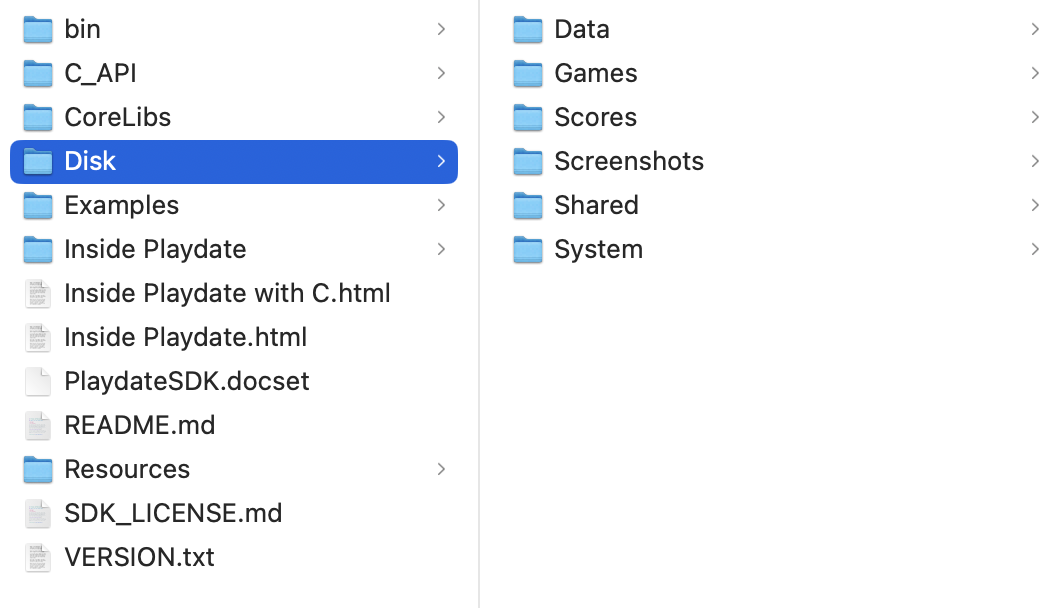
The following is what’s shown when I click into the Disk file. I admittedly don’t know what I’m supposed to be seeing, it’s possible my computer has bugged out and I can try to download things on another computer? But nothing’s even in my documents folder related to Playdate, so I don’t know why the SDK keeps trying to say there is. How strange
I find it strange that the error message is expecting the PlaydateSDK to be located in C:\Users\deere\Documents\PlaydateSDK\Disk\ instead of C:\Users\deere\Documents\PlaydateSDK\.
Can you open cmd.exe (Win+R then type "cmd.exe" and press enter) and execute the following command and past the result here?
echo %PLAYDATE_SDK_PATH%
If it contains C:\Users\deere\Documents\PlaydateSDK\Disk\ then I think removing the \Disk part from the value of the environment variable PLAYDATE_SDK_PATH should fix your problem.
Want to say thank you for all of your helps! I ended up realizing my path was wrong since I kept changing the folders I was putting the installer in; for future people with a similar problem, just keep the path as easy as possible. SquidGod has a video to help with the installation.
So sorry for all the hassle, really appreciate Draper and Daeke for the patience and help again!