Hi y’all! Been a Playdate owner since the start, and I’ve finally started to write a game for it. I’ve worked as a software developer for many many years now, but I’ve never written a game before until now. I decided to make things “easy” on myself by implementing my favourite card game, Tablić so I can focus on the game programming aspect of things. And also so I can take my favourite card game wherever I take my favourite handheld system
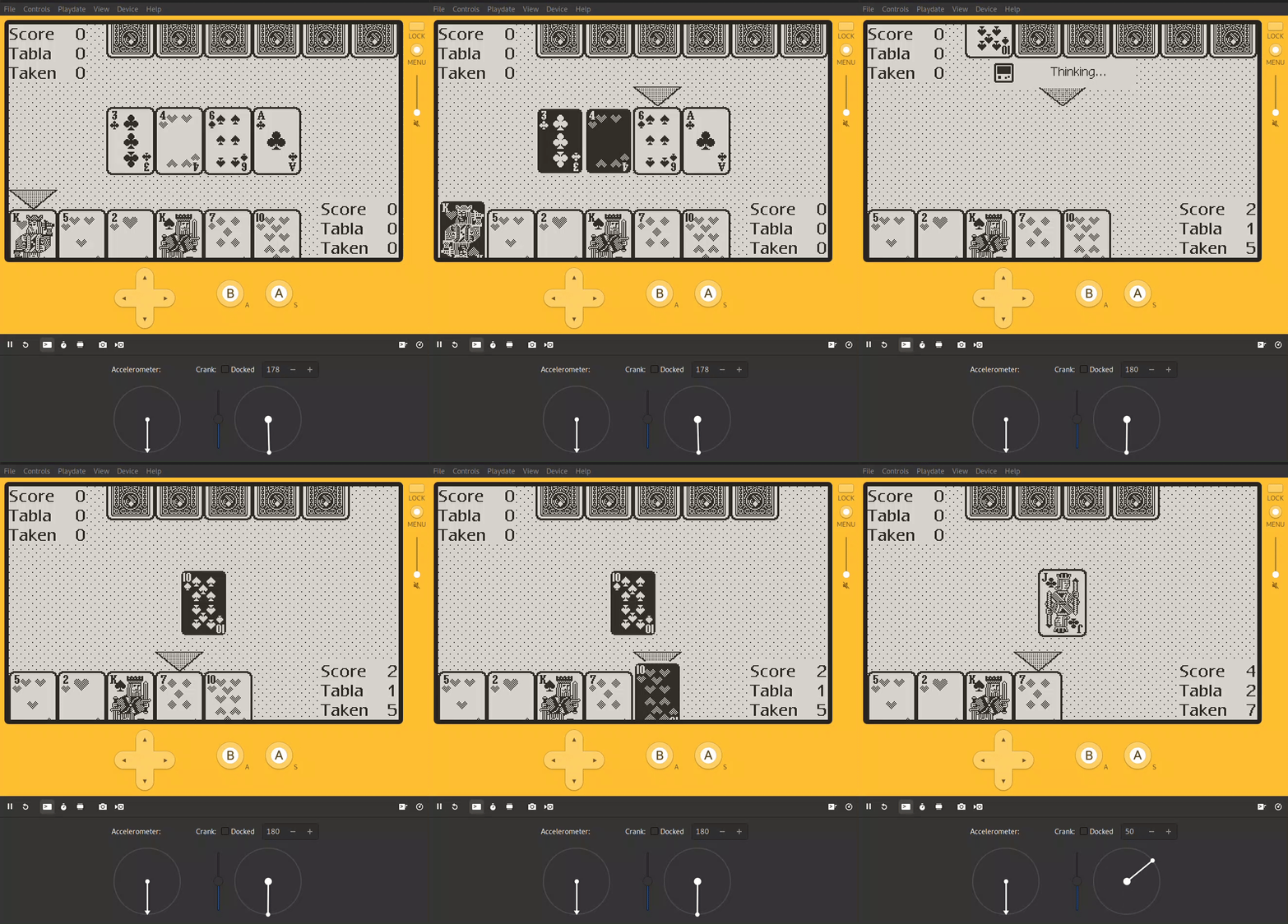
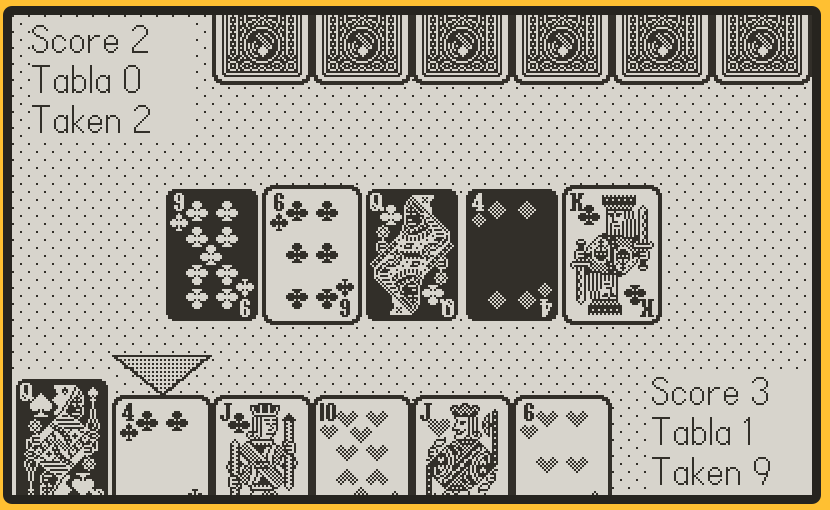
After about a week or two of in-my-spare-time work, I’ve implemented just about everything needed to play a complete round against the computer. The graphics aren’t flashy, there’s no cool animations yet, but it gets the job done.
Currently I’m working on saving and resuming the game state between launches, and making the computer opponent smarter. When I’m satisfied there, I’ll return to the graphics and think about how to make them nicer and more animated.
Well, after promising myself that I wouldn’t get bogged down in minutae, I spent two days mostly messing with fonts. But it was because the font I wanted didn’t exist for the Playdate, and now I made it happen: Espy Sans.
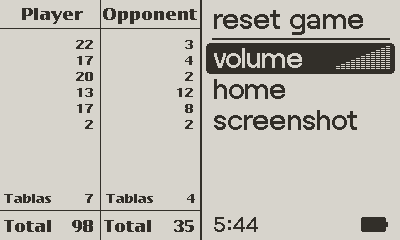
After a lot of digging around, I finally found a clean, original copy of the Espy Sans and Espy Serif (not a recreation or a hacky bitmap → TTF → bitmap conversion) fonts in all the original sizes, and through the grace of Fontforge and BitsNPicas, I fulfilled my need for nostalgia on my Playdate. And I fixed a bunch of bugs and have a nice working score sheet that’s displayed when the game is paused:
Still working on this and getting close to it being polished enough to release.
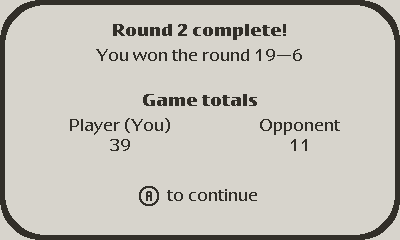
It’s completely possible to play multiple hands through an entire game against the computer now, as I fixed more scoring bugs and added some nice end of round and end of game views:
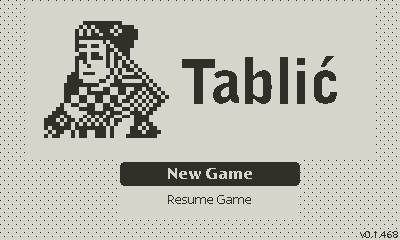
I also added a title screen with a menu (courtesy of ui.gridview) that’s mostly working. New Game and Resume Game work. But I implemented the summary cards and credits view as a sprite, whereas the title screen draws directly to the display (since that’s how ui.gridview works, I don’t think there’s a way around that?). I know I’m now adding sprites earlier than I need to be. Cleaning that up is on the to-do list. Now that
I also fixed more scoring bugs, made lots of tweaks to the score sheet display, and changed the inputs to support using the crank to “throw” cards and confirm your move, which feels really nice to me - it fills in for the physical action of emphatically throwing a card on the table, or scooping up your take, so you need to “flick” the crank fast enough otherwise it won’t register as a “move”
I’ve been questioning my choices lately and might have hit enough of a roadblock that I’ll end up rewriting a bunch of code… but isn’t that usually the way in software development?
First some positive things, I massively improved the computer player’s logic, it now plays more like a human would, though still a bit naïvely. Round and games are a lot closer in score which makes it a lot more fun to play test now.
But now that I’ve fleshed out all of the game logic to my satisfaction, my attention is turning to what to me is “polish” - animations and sounds. And adding animations has got me down
I’ve implemented each group of cards (player’s hand, opponent’s hand, and the cards on the table) as sprites with tile maps of various sizes. This made it fairly easy (in my mind) to model the data - a player’s hand is a 6-wide tile map, and changing what is displayed in each tile is as simple as updating the index in the card image table. When a card is selected, there’s a second sprite-as-tile map that simply draws the selected card’s image inverted (and, for the player’s hand, with a different Y offset to “bump” the selection away from the other cards) on top of the other sprite. The cursor arrow is implemented the same way (when you have a hammer, everything is a nail), and the inactive cursor is simply hidden.
Easy to manipulate, but I’m now realizing that this setup does not lend itself to animating the cards - having them slide off screen when captured, having each capture group arrange itself on-screen, etc. I briefly tried to just overlay animated sprites on top of what I already have, but the results weren’t great - and it would mean managing lots more data just for animations.
So in order to make the game “cool” I’ll have to do some re-implementing. Thankfully, I did put some thought into how this code is organized so it shouldn’t be too bad. Lesson learned though, sometimes it pays to think ahead about whether your implementation will be capable enough or not!
Seven months later, and after playing probably hundreds of rounds on my Playdate, I finally got tired of the staticness and implemented some card animations for throwing and taking cards, that doesn't interfere with my existing code too much.
It's not perfect, when the animations start I need to blank the tilemap image slots of the cards-to-be-animated instead of immediately removing them to prevent things from jumping around at that point, but I'm kind of happy with it. Maybe I'll try adding some sound effects next?

 But it was because the font I wanted didn’t exist for the Playdate, and now I made it happen: