Hi! Thanks for reading in the first place.
So, as the title says, I can't make the card.png (nor any of the other assets inside my /launcher_assets folder) appear when installing the game.
I am developing my very first game, so I am using the Playdate Lua SDK, and I've read through the official Playdate documentation, 'Inside Playdate'.
I will try to provide as much useful info as I can, in order for you to understand better. Here's my project's structure:
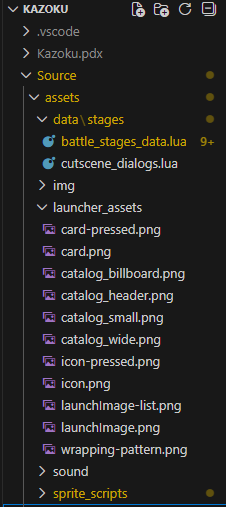
So, the route to the folder where I have my catalog (and such) assets, I think should be Source/assets/launcher_assets (and also tried Source/assets/launcher_assets/ with the slash at the end), and that's also what I have set in my pdxinfo > imagePath, as seen below:
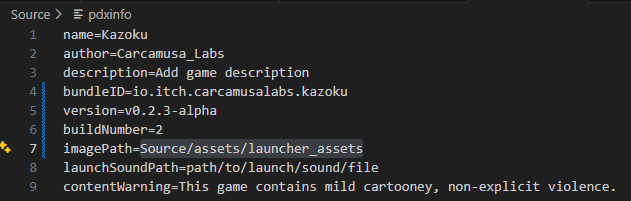
However it just won't work.
I also thought it may be due to me not manually updating the version and buildNumber fields, so I also tried deleting the game from the console, increasing and saving the values, and re-sideloading my game, with no luck either.
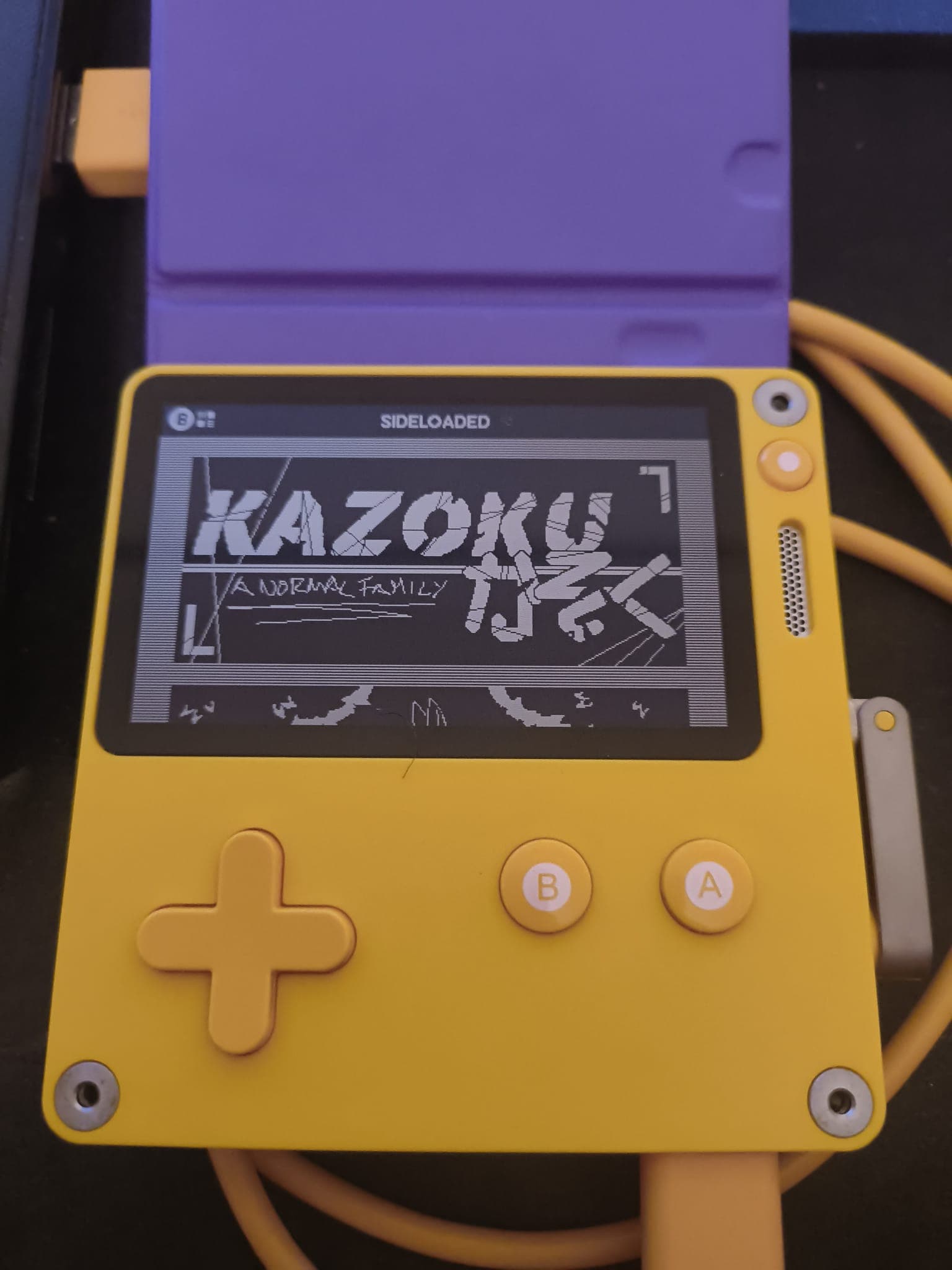
I am using the most recent SDK version as well (as far as I know), because I always update when the dialog is prompted. I've also read somewhere that the wrapping-pattern can't be tested as it's supposed to be a feature only for Catalog-published/Season games? So I won't worry about that too much, but for the other files, card.png, icon.png, launchImage.png, etc, they should look something like this:
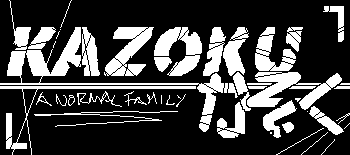


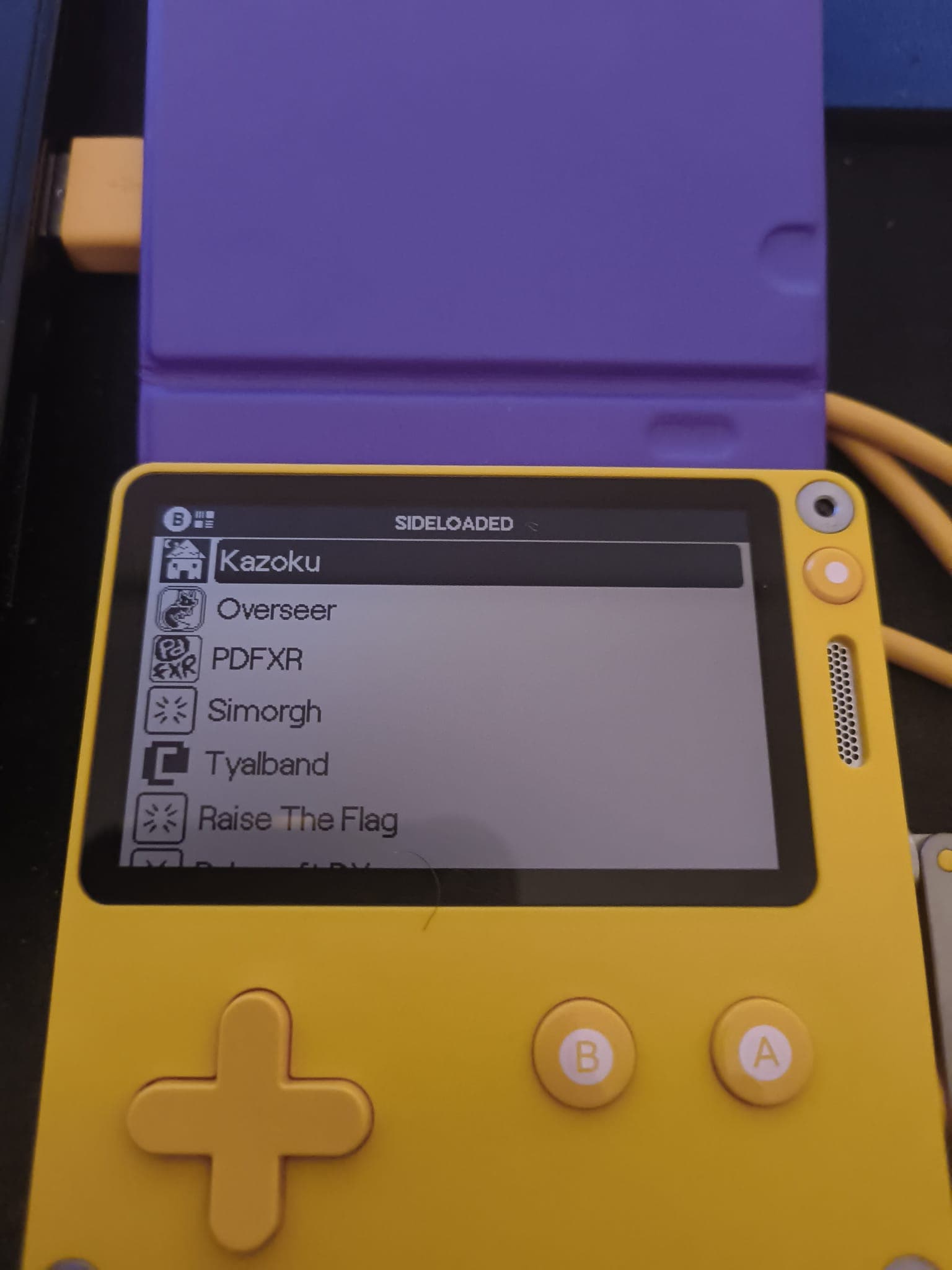
But instead they look like this when side-loading my game, or moving it into the console via USB:
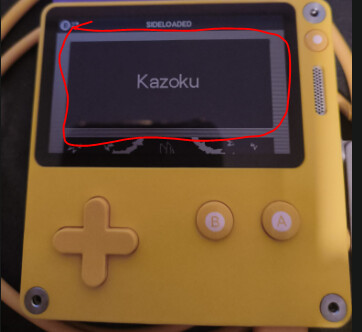
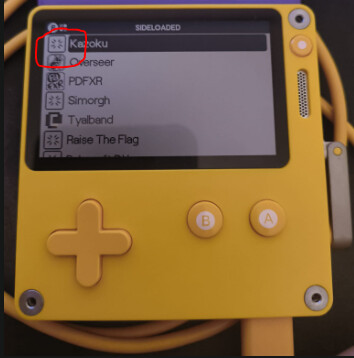
I've also checked that the images comply with the black and white, 1-bit only png format in case it was my fault, but they do, and also any other images in-game were made with the same tools and 'colours' and they work as expected.
Honestly I don't write much in the forum cause I usually try to come up with solutions by myself, but this time I just don't find any other things to try, so any help is much appreciated, for real.
Thank you very much for reading and, honestly, I hope it's just me being stupid and doing something wrong and not a bug or something.
Also, please feel free to ask for any other info you think is relevant in case I missed something, and I'll try to provide it as soon as I can.
Have a nice one!